How are Amua and Telegram integrated?
This page explains the technical relationship between Telegram and Amua: how the two systems communicate, what Amua adds on top of Telegram, where data lives, and why this architecture keeps your Telegram data private.
Architecture#
Amua is built on TDLib (Telegram Database Library), the official, open-source client library maintained by the Telegram team. TDLib is the same library that powers Telegram's own desktop and mobile applications.
When you perform an action in Amua — sending a message, adding someone to a chat, modifying group settings — Amua's application logic running locally on your device packages that action as an API request and sends it directly to Telegram's servers via TDLib. Telegram processes the request, returns the response, and the same local application logic renders it in your interface. None of this touches Amua databases.
This means Amua functions as a Telegram client with added organizational and productivity features. All chat data travels between your local device and Telegram's servers. Amua does not intercept, store, or relay this data through its own infrastructure.
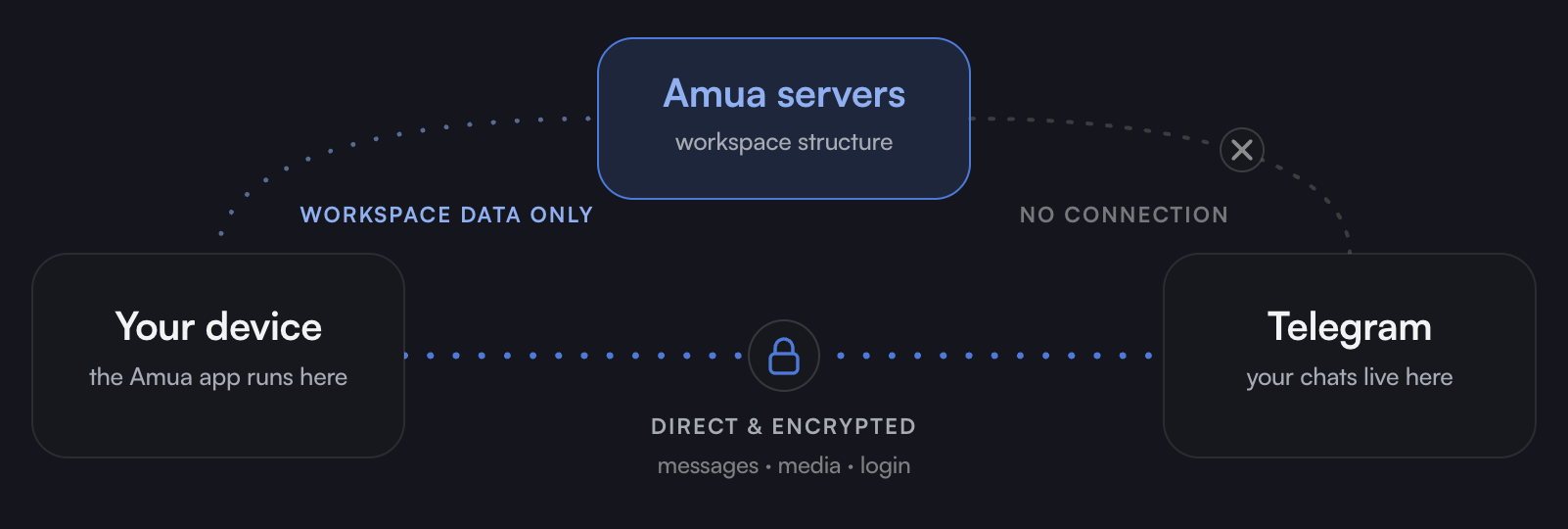
What happens when you link your Telegram account#
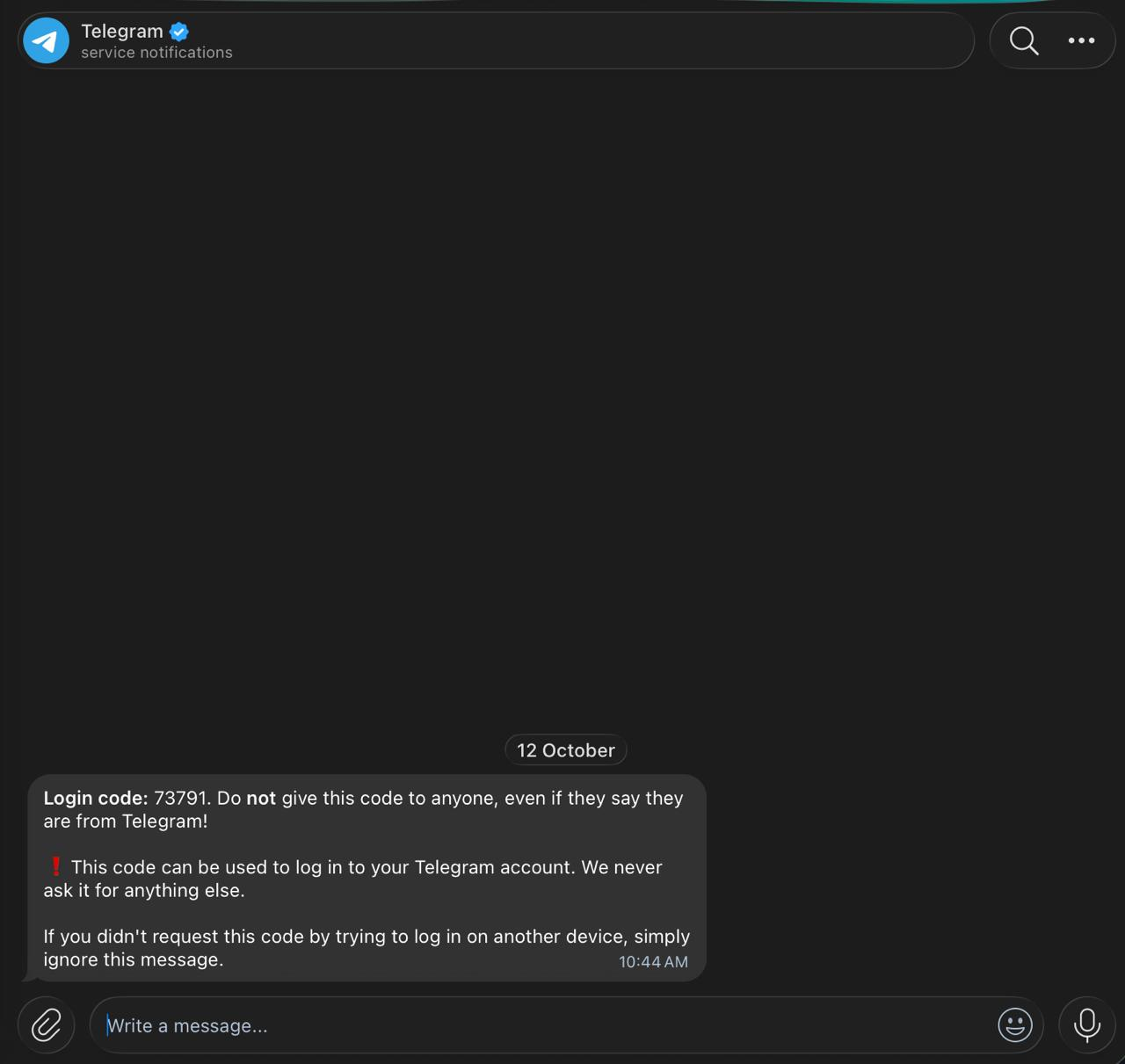
Because Telegram accounts are based off of phone numbers, users log in to Amua using the same phone number they use for Telegram. Amua uses this to request a verification code issued by Telegram.
When you enter this code, your Telegram session is authenticated through TDLib. This uses the same mechanism any Telegram client uses to establish a session.
This sync gives Amua access to the following Telegram data:
- User ID
- Username (if applicable)
- Phone number
This is all Amua needs to power the entire experience. From there, it makes additional TDLib requests using this data to populate your interface in real time as you interact with the app.
How the Amua <> Telegram sync works#
Amua and Telegram are synced on a sub-second basis. Changes in one happen near-instantly in the other bidirectionally. These include:
- Chat creation and deletion
- Messaging and drafts
- Adding and removing users from chats
- Chat-level role and permission changes
- Folder system and pins
- Blocking and reporting
Telegram's encryption model#
Because TDLib enables communication directly between your local machine and Telegram's servers, Telegram's encryption model remains intact. Cloud chats use Telegram's server-client encryption, while secret chats use end-to-end encryption — both are inaccessible to Amua. Amua does not alter, downgrade, or sit between any of these encryption layers.
Data separation#
The table below clarifies which data lives where.
| Data | Stored by Telegram | Stored by Amua |
|---|---|---|
| Messages and media | Yes | No |
| Chats and chat history | Yes | No |
| Contact list | Yes | No |
| User ID and username | Yes | Yes |
| Phone number | Yes | Yes |
| Workspace metadata | No | Yes |
| Third-party integration configurations | No | Yes |
| Amua account password | No | Yes |
Permissions system#
Amua's workspace permissions and Telegram's chat-level permissions are separate systems. An Amua workspace role (Owner, Admin, Team Lead, Member) does not grant or revoke any Telegram-level permission. A Telegram group admin does not automatically receive any Amua role. The two systems operate in parallel.
See the Roles and Permissions section of the docs for more detail.
Disconnection#
If you disconnect your Telegram account or log out from Amua:
- The Telegram session is terminated until you log back in
- Your workspace metadata remains stored with Amua
- Your Telegram account and all its data remain unaffected on Telegram's servers