The Permission Model
Amua uses a role-based permission system at the workspace level that is designed to match the way companies are structured in the real world.
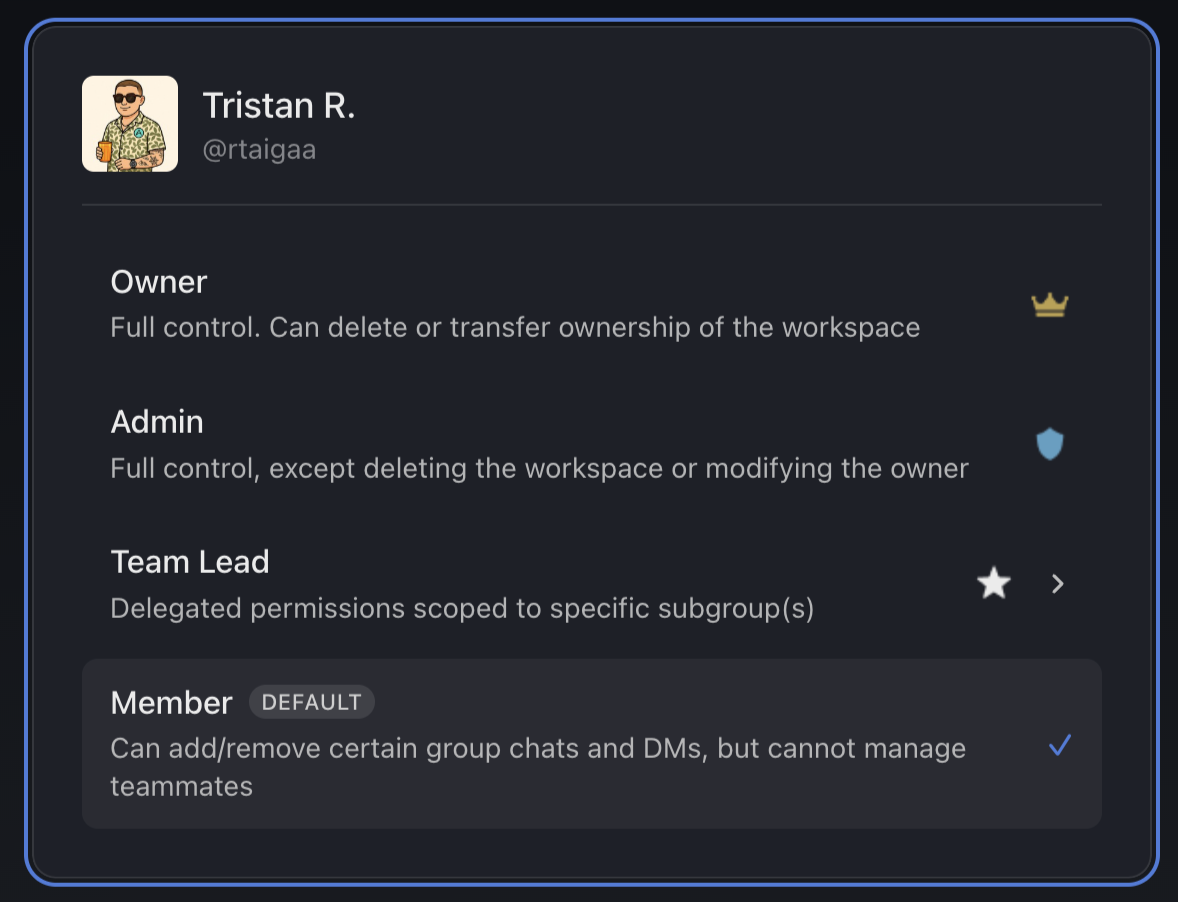
Each member of a workspace is assigned one of four roles, and each role has a defined set of capabilities.
Amua's workspace permissions and Telegram's chat-level permissions are separate systems. An Amua workspace role (Owner, Admin, Team Lead, Member) does not grant or revoke any Telegram-level permission. A Telegram group admin does not automatically receive any Amua role. The two systems operate in parallel.
Workspace roles #
Owner
Full control over the workspace. The Owner can do everything: add/remove members, assign any role, import/remove chats, create/delete subgroups, manage billing, transfer and delete the workspace. There is one Owner per workspace.
Archetypes: Founders, CEOs, leaders
Admin
Same capabilities as the Owner with three exceptions: Admins cannot delete the workspace, transfer ownership, or manage billing. Multiple Admins can exist in a workspace.
Archetypes: Other C-Level executives, Head of HR, anyone the Owner trusts to delegate significant responsibility with respect to team structure and operations
Team Lead
A Member with elevated permissions within a specific subgroup(s). Team Leads can add/remove Members from their assigned subgroups and manage chats within those subgroups. They have no workspace-level management capabilities, meaning they cannot onboard/offboard people from the workspace itself, create or delete subgroups, or modify roles.
Archetypes: Department Heads, Project Leads, anyone who leads a specific team but is not responsible for organization-wide decisions
Member
The standard and default role. Members can import chats and contacts to the workspace and view the members list, chat list, contact list, subgroups, etc. They cannot add/remove people, change roles, or create/delete subgroups. They can only remove chats they personally imported.
Key principles#
- Roles are workspace-wide. Your role applies to the entire workspace, except for Team Leads whose elevated permissions are scoped to specific subgroups.
- Amua roles are separate from Telegram roles. Being an Admin in Amua does not automatically grant admin rights in any Telegram chats, and vice versa.
- Only Owners and Admins can onboard/offboard members. Team Leads and Members cannot add or remove people from the workspace.
- Visibility is open. All roles can see the full members list, chat list (if they are in the Telegram chat), shared contact list, and subgroup membership. Permissions control actions, not visibility.
For the detailed breakdown of every action and which role can perform it, see the Permissions sections, starting with Workspace Management.